
Product update
Reverberation calculator: plan rooms, save them and share a PDF report
Pick the room use instead of hunting for the standard, 26 standards from 15 countries, products with a suggested quantity. And rooms can now be saved, shared in a project and exported as a PDF report.
When you plan a room, you know what it is for, not necessarily which standard applies. So that is where the calculator now starts: pick restaurant, classroom, music room or open-plan office, and the matching standard follows from the country. 26 standards from 15 countries are built in, from DIN 18041, ÖNORM B 8115-3 and UNI 11532-2 to BB93 and ANSI/ASA S12.60.
Everything sits on one screen: the room on the left, the result in the middle, the measures on the right. The check runs band by band. “Within target” only appears once every assessed octave band sits inside the corridor. A matching average alone is not enough.
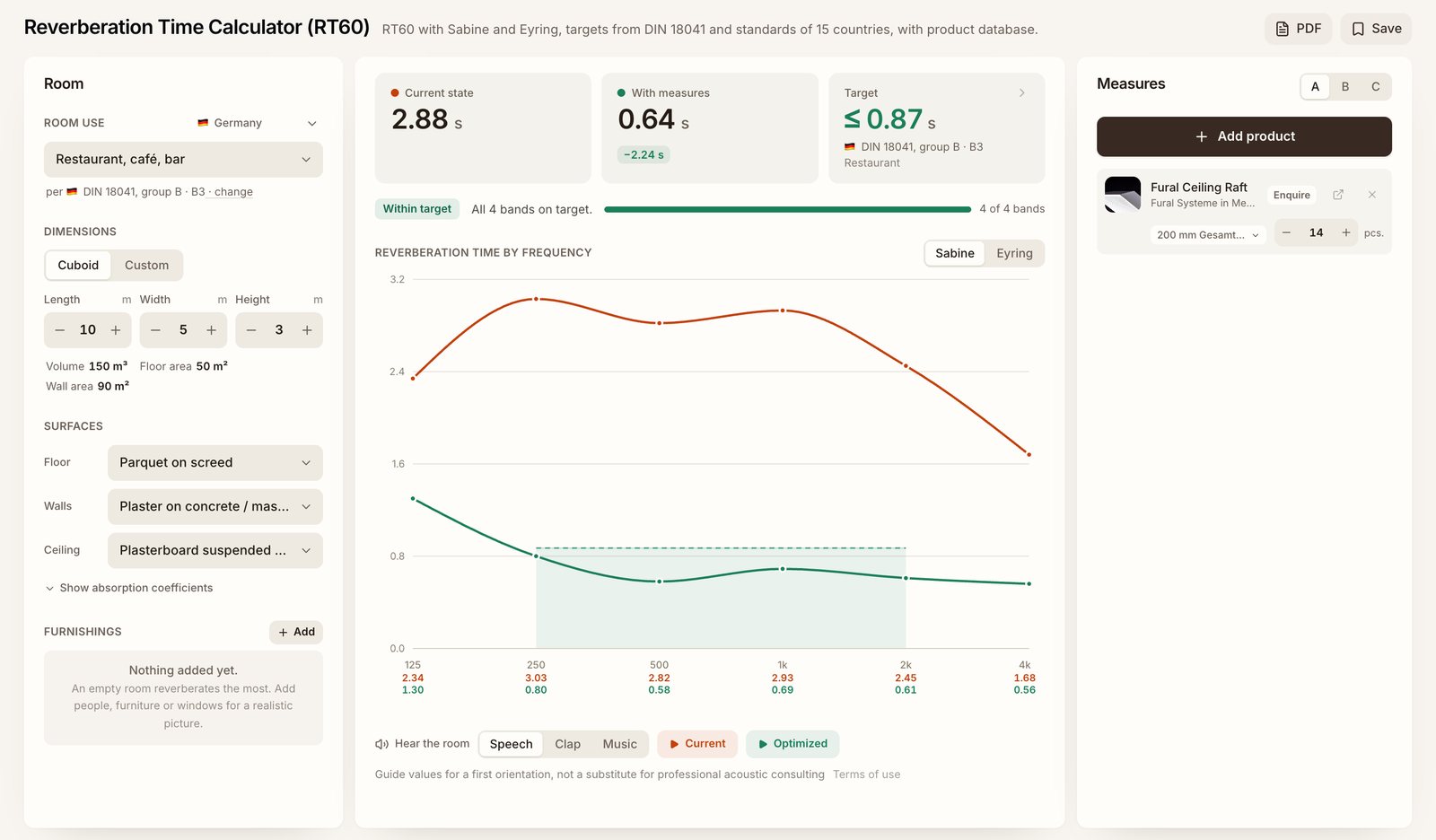
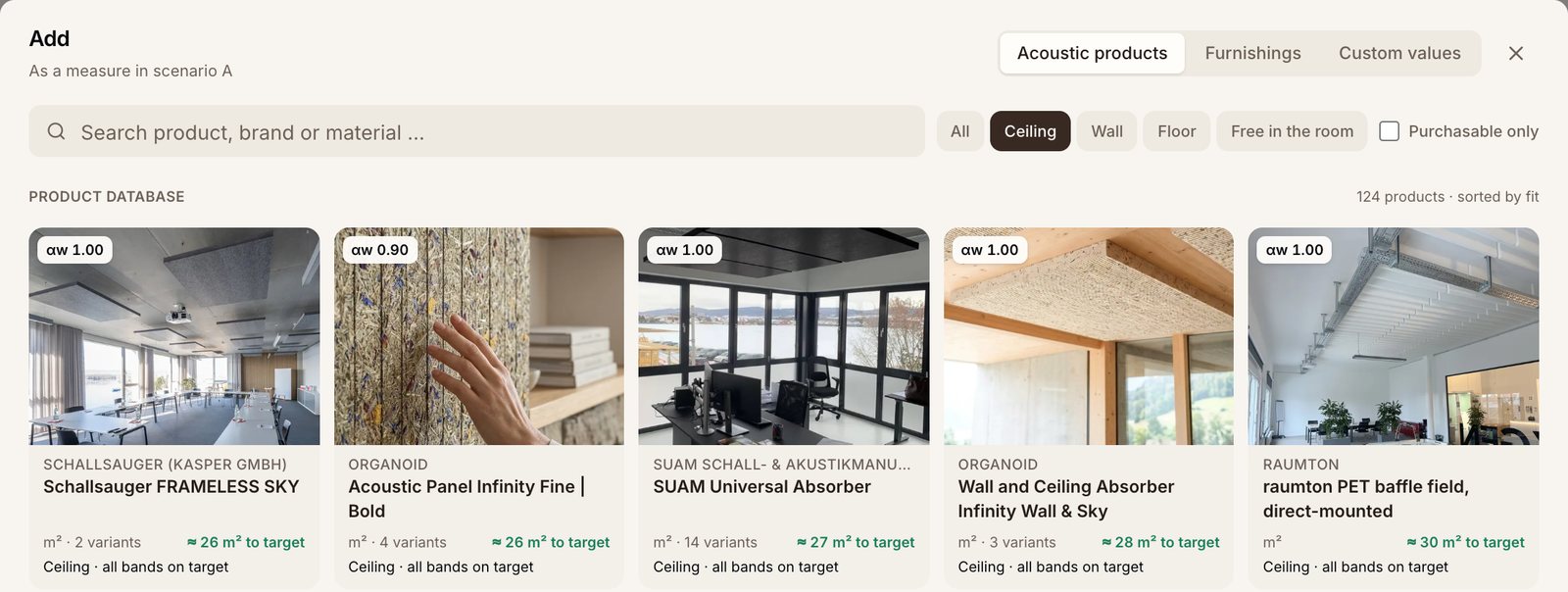
Products come straight from the catalogue. Every card in the picker shows how much of it the target needs and which surface it goes on, sorted by fit. One click adds product and quantity, and the variant can be switched in the list afterwards. Three scenarios keep alternatives apart.
What's new is that a room no longer gets lost. Saving files it under a name in a project, and from then on the calculator keeps every change automatically. The free account this needs is created right inside the calculator, with a code from the email or with Google, without leaving the page.
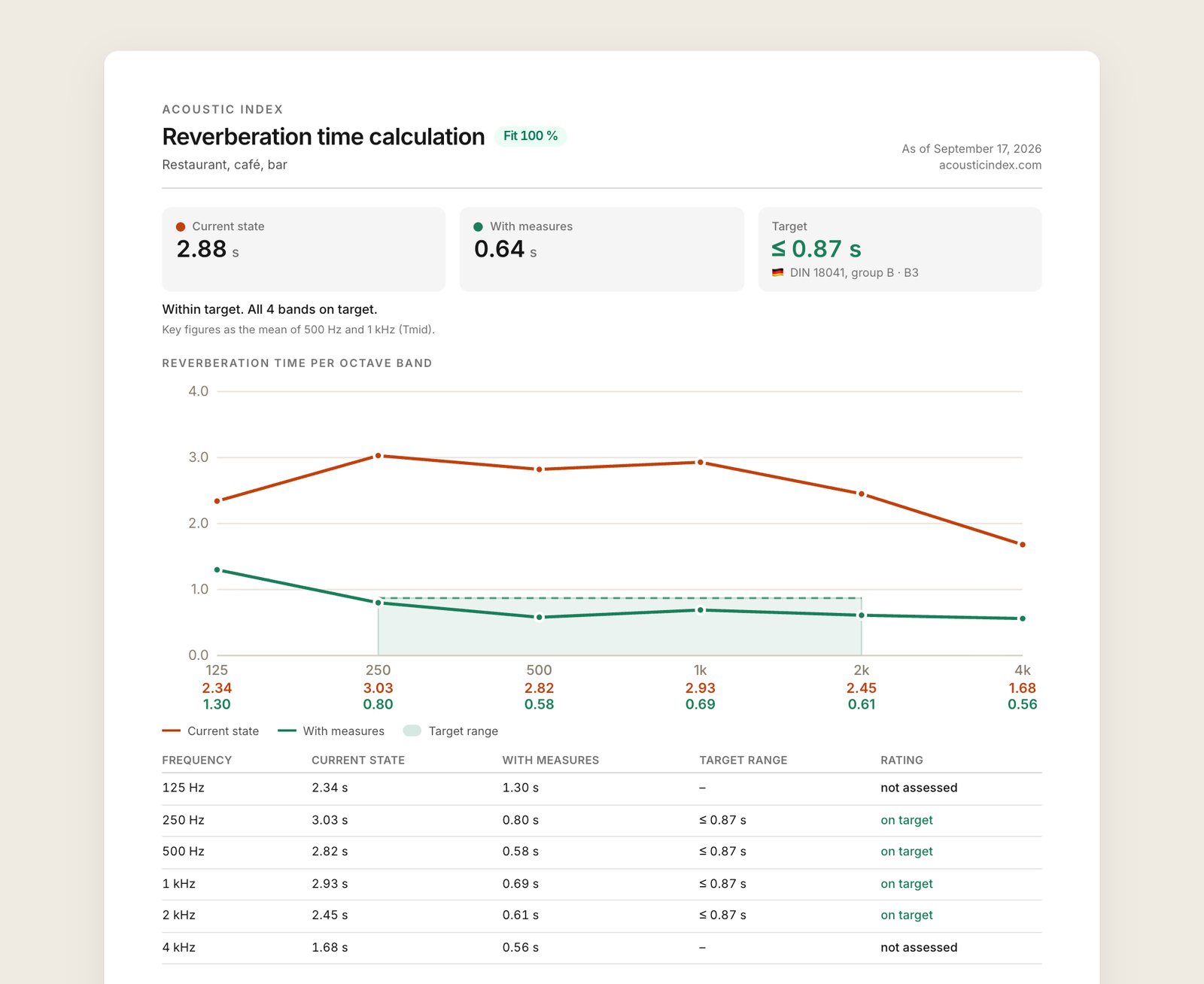
Sharing works through the project. Anyone with the link sees the rooms and products read-only and without an account, and can open any room as their own copy in the calculator. For clients and colleagues there is also the PDF report with key figures, the frequency curve, a rating per octave band, the room data and the planned measures.
Once the selection is settled, the inquiry goes to the manufacturer straight from the measure row, provided the manufacturer accepts inquiries through Acoustic Index. Room, target and planned quantity are already in the message.
Calculate without an account; saving and PDF with a free account.
Open the reverberation calculator